
Get powerful virus protection

Download Norton 360 Deluxe to help protect against viruses, malware, and other online threats.

Get powerful virus protection

Install Norton 360 Deluxe to help protect against viruses, malware, and other online threats.

Get powerful virus protection

Install Norton 360 Deluxe to help protect against viruses, malware, and other online threats.

Who's this for?

Answer 3 quick questions to get matched with the best protection. Firstly, choose who or what you need to cover below.

What are you most concerned about?

We'll suggest the best coverage for your concerns. Select all that apply.

How many devices do you need to protect?

For the best protection, cover every device you use online.

Creating your recommendation

norton:productquiz:iconturninggears
Did you know?
Norton technology blocks millions of cyberthreats every day.
Trusted by millions of customers around the globe.
Norton™ Mobile Security
Standard
£ 29.99
£ 29.99first yr

Automatically renews at
{ar}/year, unless the renewal is cancelled.
Price is subject to change.
Subscription details below.*

  • Protection for 1 iPhone® or iPad®
  • Wi-Fi Security
  • Internet Security
  • Device Security
Norton AntiVirus
Plus
£ 34.99
£ 34.99first yr

Automatically renews at
{ar}/year, unless the renewal is cancelled.
Price is subject to change.
Subscription details below.*

  • 1 PC, Mac, tablet, or phone
  • NEW! Genie Scam Protection
  • Antivirus, malware, ransomware, and hacking protection
  • 100% Virus Protection Promise2
  • 2GB Cloud Backup‡‡,4
  • Password Manager
Norton 360
Standard
£ 64.99£ 40 OFF*
£ 24.99first yr

Automatically renews at
{ar}/year, unless the renewal is cancelled.
Price is subject to change.
Subscription details below.*

  • 1 PC, Mac, tablet, or phone
  • NEW! Genie Scam Protection
  • Antivirus, malware, ransomware, and hacking protection
  • 100% Virus Protection Promise2
  • 10GB Cloud Backup‡‡,4
  • Password Manager
  • VPN private connection
Norton Identity Advisor
Plus
£ 19.99
£ 19.99/per yr

Payment method required.
When trial ends, paid subscription starts and automatically renews at {ar}/year, unless the renewal is cancelled. Price is subject to change. Subscription details below.*

  • Financial Monitoring​
  • Credit Report and Score​18
  • Credit Alerts​18
  • Identity Restoration Support
  • Social Media Monitoring17
  • Dark Web Monitoring​§
Norton 360
Deluxe
£ 89.99
£ 89.99first yr

Automatically renews at
{ar}/year, unless the renewal is cancelled.
Price is subject to change.
Subscription details below.*

  • 5 PCs, Macs, tablets, or phones
  • NEW! Genie Scam Protection
  • Antivirus, malware, ransomware, and hacking protection
  • 100% Virus Protection Promise2
  • 50GB Cloud Backup‡‡,4
  • Password Manager
  • VPN private connection
  • Parental Control
  • Dark Web Monitoring§
  • IP masking to hide your online activities
  • Access your favourite content across borders
  • Ad Blocker to browse without annoying ads14
  • No-log policy to ensure your privacy
  • Kill Switch to help prevent privacy exposure
  • IP Rotation and Double VPN for extra privacy
  • AI-powered protection against scams, phishing, and malware. 
  • Monitoring for your info on the dark web§
  • Password Manager to use strong passwords
  • 10GB of Cloud Backup4 for valuable files
Norton
Small Business Premium
£ 219.99
£ 219.99/first yr (Up to 5 employees)

Automatically renews at {ar}/year, unless the renewal is cancelled.
Price is subject to change.
See subscription details below.*

  • 10 PCs, Macs, tablets, or phones
  • Alerts on suspicious transactions on your company's bank accounts.
  • Social Media Monitoring to help you prevent admin account takeover.17
  • Business Tech Support on call 24/7, ready to assist with common tech issues and virus removal.
  • Secure VPN for a safer internet connection wherever work takes you.
  • 500 GB secure Cloud Backup for your business-critical data.21
  • Driver Updater for enhanced security and more reliable PC performance.21
Norton 360
Advanced
£ 149.99
£ 149.99first yr

Automatically renews at
{ar}/year, unless the renewal is cancelled.
Price is subject to change.
Subscription details below.*

  • 10 PCs, Macs, tablets, or phones
  • NEW! Genie Scam Protection
  • Antivirus, malware, ransomware, and hacking protection
  • 100% Virus Protection Promise2
  • 200GB Cloud Backup‡‡,4
  • Password Manager
  • VPN private connection
  • Parental Control
  • Dark Web Monitoring§
  • Identity Restoration Support
  • Credit Report and Score18
  • Credit Alerts18
  • Stolen Wallet Assist
  • Social Media Monitoring17
  • Financial Monitoring
Norton
Small Business
£ 129.99
£ 129.99/first yr

 Automatically renews at {ar}/year, unless the renewal is cancelled.
Price is subject to change.
See subscription details below.*

  • Always-on cyber protection for your business devices.
  • Secure browser to work, browse, and bank safer online.22
  • Encrypted vault for your passwords and corporate credit cards.
  • Automatic Software Updater to close security risks and holes.21
  • Windows PC cleaner and optimizer to support your employees' productivity with well-maintained PCs.21
  • Monitoring for exposed employee identities on the dark web (5 contacts).§
  • 250 GB secure Cloud Backup for your business-critical data.21
Norton
Small Business
£ 74.99
£ 74.99/year

Automatically renews, unless the renewal is cancelled.
Price is subject to change.
Subscription details below.*

  • 5 PCs, Macs, tablets, or phones
  • Always-on cyber protection for your business devices.
  • Secure browser to work, browse, and bank safer online.22
  • Encrypted vault for your passwords and corporate credit cards.
  • Automatic Software Updater to close security risks and holes.21
  • Windows PC cleaner and optimizer to support your employees' productivity with well-maintained PCs.21
  • Monitoring for exposed employee identities on the dark web (5 contacts).§
  • 250 GB secure Cloud Backup for your business-critical data.21

Your personalized matches

norton:productquiz:iconshieldnumber60
60-day money-back guarantee
  • Best choice

  • Better choice

  • Good choice

*Important subscription, pricing, and offer details:

  • By subscribing, you are purchasing a recurring subscription which will automatically renew.
  • The price quoted today is valid for the offered introductory term. After that, your subscription will be billed at the applicable monthly or annual renewal price here. The price is subject to change, but we will always send you a notification email in advance.

2 Requires an automatically renewing subscription for a product containing antivirus features. For further terms and conditions, please see norton.com/virus-protection-promise.
4 Only available on Windows systems (but not in S mode or on ARM processors).
21 Utilities Ultimate, Driver Updater, Software Updater, and Cloud Backup features are only available on Windows (excluding Windows in S mode and Windows running on ARM processor).
22 Private Browser is only available on Windows (excluding Windows in S mode and Windows running on ARM processor) and Mac.
Monitoring available on Windows™ PC, iOS, and Android™ devices. Not all features available on all platforms.
§ Monitoring not available in all countries and varies based on region.

norton:productquiz:iconquestionmarkspeechbubble

norton:productquiz:iconquestionmarkspeechbubble

norton:productquiz:iconquestionmarkspeechbubble

How to know if your computer has a virus: 9 warning signs

Has your computer slowed to a crawl? Are you fighting off annoying pop-ups? These are telltale signs that your device may have a virus. Wondering how to know if your computer has a virus? Read on for more warning signs, tips, and ways to get rid of a computer virus. Then, get Norton 360 Deluxe to help block viruses, fight malware, and keep your computer protected.

AV Comparatives award

2025

Approved

Anti-Phishing

av test award

2025

Top Rated Product

A woman checks her computer to make sure there aren't any computer virus signs.

Most viruses can be installed on your computer without your knowledge or consent. And by secretly monitoring and manipulating your online activity, hackers may be able to access your personal information and commit identity theft or other types of fraud. That’s why it’s so important to know what to look out for, and act quickly at the first hint of trouble.

9 signs of a computer virus

Here’s a run-down of the top signs of a computer virus to watch out for:

1. Your computer’s performance slows

Are your files and apps taking a long time to load? Is your computer taking longer to start and running slowly once it does? If so, it’s possible a virus has infiltrated your operating system.

2. Endless pop-ups and spam

Frequent and odd pop-up windows are red flags. Fake virus pop-ups might prompt you to visit other websites to download fake antivirus or other unsafe software programs, which may install malware to infect your computer.

Malicious pop-ups and spam may also secretly install spyware that could hijack your browser or steal your passwords and other personal information without your knowledge.

3. You’re locked out of your computer

If you’re unable to gain access to settings and files on your computer — or you can’t log on or off — malware may be the reason.

4. Changes to your homepage

Is your homepage randomly switching to another website? Are you unable to reset it? If so, you may have a virus that is changing your homepage settings and creating error messages, browser errors, and shortcut files.

5. Unknown programs starting on your computer

Computer viruses can create widespread problems, such as adding icons or toolbars without your permission, and that may just be the tip of the iceberg. If unknown programs load when you turn on your computer or another, unknown device is connected, that’s a likely sign of a virus.

6. Mass emails sent from your email account

Have you ever received an odd email from a friend that made you suspect their email was hacked? If your email's outbox contains messages you didn't send, your social media accounts have posts you didn't make, or you can't log into your email or social media accounts, your computer may be compromised.

7. Your security software has been disabled

If your antivirus program or security software has stopped working and you didn’t disable it, it’s possible that malware has taken over.

8. Your battery drains quickly

A drained battery is another sign that a virus may have infected your computer and is multiplying. As a virus spreads, it uses up resources and creates more activity on your computer, diminishing your device’s battery life.

9. Frequent crashes

Does your computer randomly crash on you? Does your screen freeze and become the infamous blue screen of death? This could be a sign that your device has been infected with a virus.
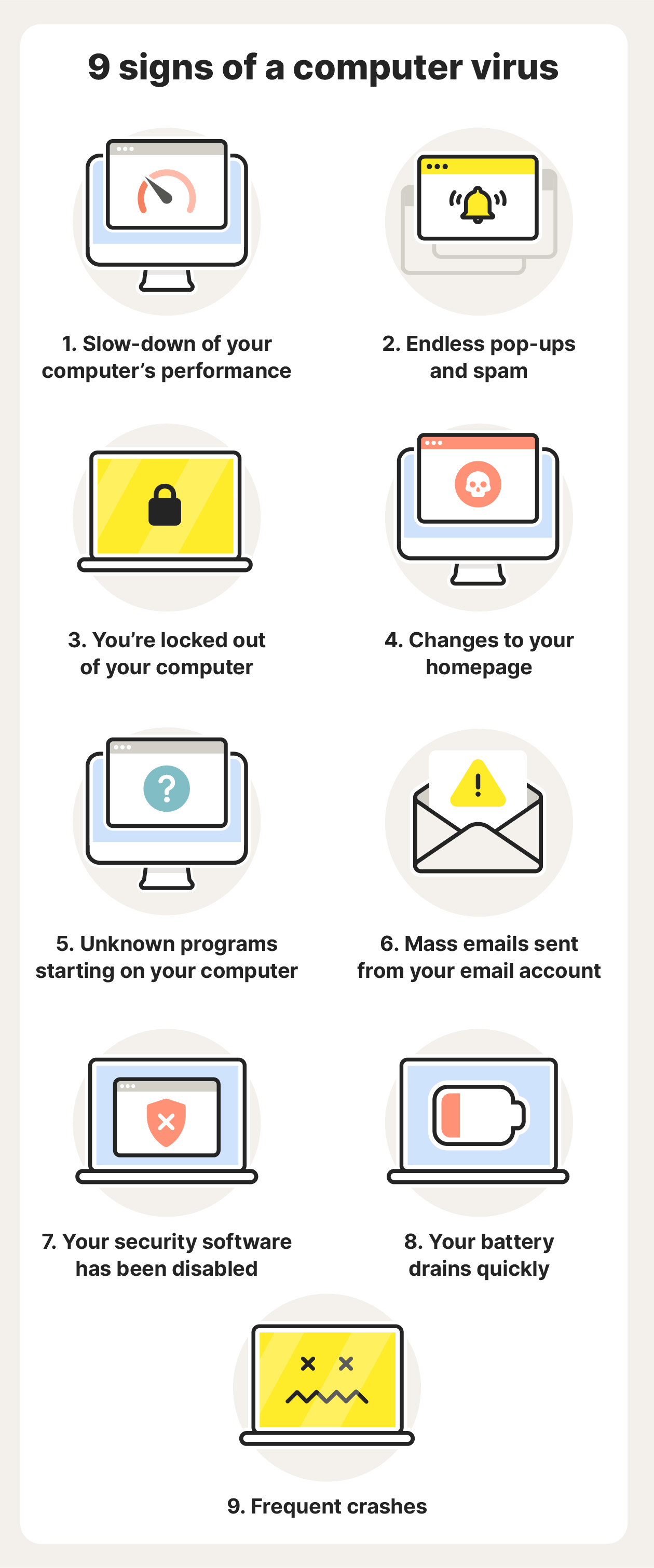
A graphic illustration showing nine common signs of a computer virus.

How to check for and remove viruses

Removing a virus from a Mac or PC is possible, but if the infection is lodged deep, it may require an expert.

A simpler approach is to install reliable antivirus software that can scan your computer for threats to help identify and remove malicious apps and files.

Here’s a basic plan to check for and remove computer viruses.

  1. Download an antivirus or anti-malware tool.
  2. Disconnect from the internet and enter Safe Mode.
  3. Open Task Manager (or Activity Monitor) to check your device for malicious applications.
  4. Turn on your antivirus and scan your computer for viruses or other malicious software. If any malware is found, quarantine or delete it.
  5. Clear your cache and update your operating system, browser, and other software to get the latest security patches.

How to help protect your computer against viruses

Once you’ve updated your software and secured your devices, there are some simple and practical steps you can take to protect yourself:

  • Reset all your account passwords: Use strong passwords that include upper and lowercase letters along with numbers and symbols.
  • Block pop-ups: Install an ad blocker and never click on random pop-ups that appear on your screen.
  • Use a secure browser: Download a private browser like Norton Private Browser to surf the web more securely.
  • Avoid suspicious links and attachments: Don’t click on anything you’re unsure of, whether on an unknown website or in an email.
  • Don’t download untrusted content: Check the safety of a website using Safe Web before you download anything onto your device.
  • Use a VPN: A Virtual Private Network (VPN) helps keep your connection safe and private, especially when using a public Wi-Fi connection.
  • Update regularly: Set up automatic software updates to help keep your operating system and other software fully up-to-date.

The bottom line? Don’t make it easy for cybercriminals to infiltrate your computer. Instead, keep an eye on your computer and be cautious about your online activity. Lastly, ensure your antivirus software and operating system are both up-to-date.

It’s like wearing a mask or washing your hands during cold and flu season. Viruses may float around, but a few simple precautions can help you protect your system and lower your chances of infection.

Help protect your computer from viruses with Norton 360 Deluxe

Even if you are cautious about the websites you visit and the links you click, there’s always the chance of a malware infection. Norton 360 Deluxe provides a powerful extra layer of protection, helping to keep your computer safe from viruses and malware.

Along with ironclad protection against malware and viruses, Norton 360 Deluxe also features a built-in VPN to help keep your connection private and protect the data you send and receive online.

FAQs about how to know if your computer has a virus

What does a virus do to your computer?

There are many different kinds of viruses that affect devices and operating systems in many different ways. Computer viruses spread through networks and connected devices, and they can crash computers, disrupt systems, steal personal information, and cause a variety of other problems.

What are the different types of computer viruses?

Computer viruses are a type of malware that replicate themselves to spread, infecting files, computers, and networks. Some common types of computer viruses include macro viruses, browser hijackers, polymorphic viruses, resident viruses, and boot sector viruses.

Can a computer with a virus be fixed?

Yes, it is possible to remove a virus from your computer. The first step is to disconnect from the internet and run a malware scan to identify the problem. Removal can be challenging, but if all else fails, a factory reset may work.

Emily Nemchick
Emily Nemchick is a contributing cybersecurity writer at Norton who covers emerging cyber threats and the importance of online privacy in fraud prevention.

Editorial note: Our articles provide educational information for you. Our offerings may not cover or protect against every type of crime, fraud, or threat we write about. Our goal is to increase awareness about Cyber Safety. Please review complete Terms during enrollment or setup. Remember that no one can prevent all identity theft or cybercrime, and that LifeLock does not monitor all transactions at all businesses. The Norton and LifeLock brands are part of Gen Digital Inc. 


Want more?

Follow us for all the latest news, tips, and updates.