



How to remove personal information from the internet: 9 methods for 2023
How do I remove my information from the internet?
With some time and a little effort, you can remove your information from the internet yourself or you can pay certain companies to remove some of your data for you.


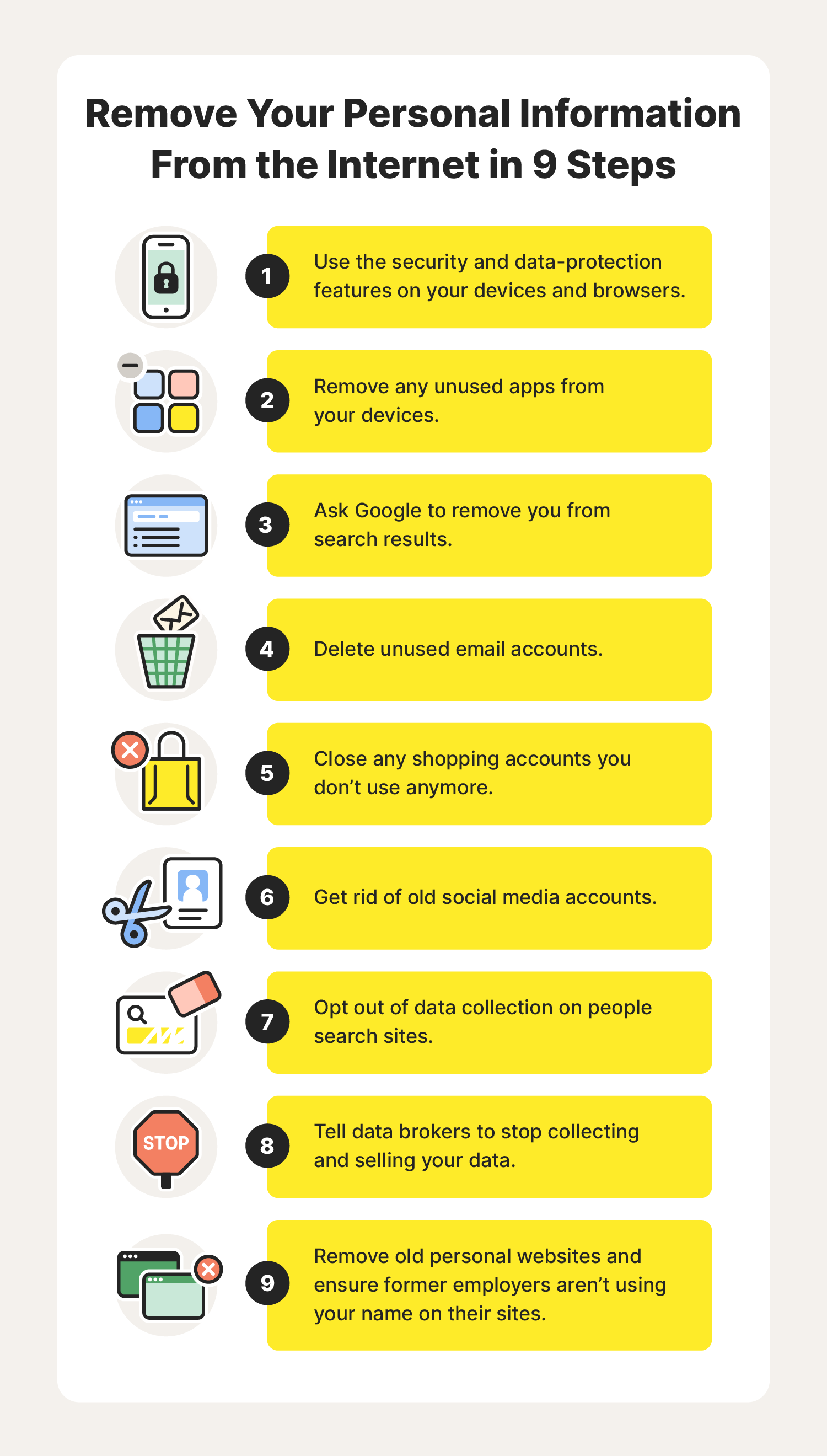
- 1. Use security features on websites, hardware, and apps
- 2. Delete unused apps from your mobile, tablet, and computer
- 3. Remove personal information from Google
- 4. Erase old email accounts
- 5. Delete unused shopping accounts
- 6. Remove social media accounts you don’t use
- 7. Opt out of people search sites
- 8. Remove your information from data brokers
- 9. Clean up or delete old blogs and websites
- FAQs about how to remove your information from the internet
While sharing some personal information may be the price of living online, there are many places our data is stored that we may not be aware of — which makes protecting your data near impossible. And with cybercrimes expected to grow by 15% each year, it’s no time to drag your cursor on removing your personal information from the internet.
To avoid becoming another cybersecurity statistic, we’ve pared down some common places our data is stored and how to remove it. We’ll begin with some of the fastest steps you can take to safeguard your privacy, then move on to some of the more time-consuming processes.
Now, let’s get to cleaning up your digital life.
1. Use security features on websites, hardware, and apps
Time commitment: 5 minutes or less
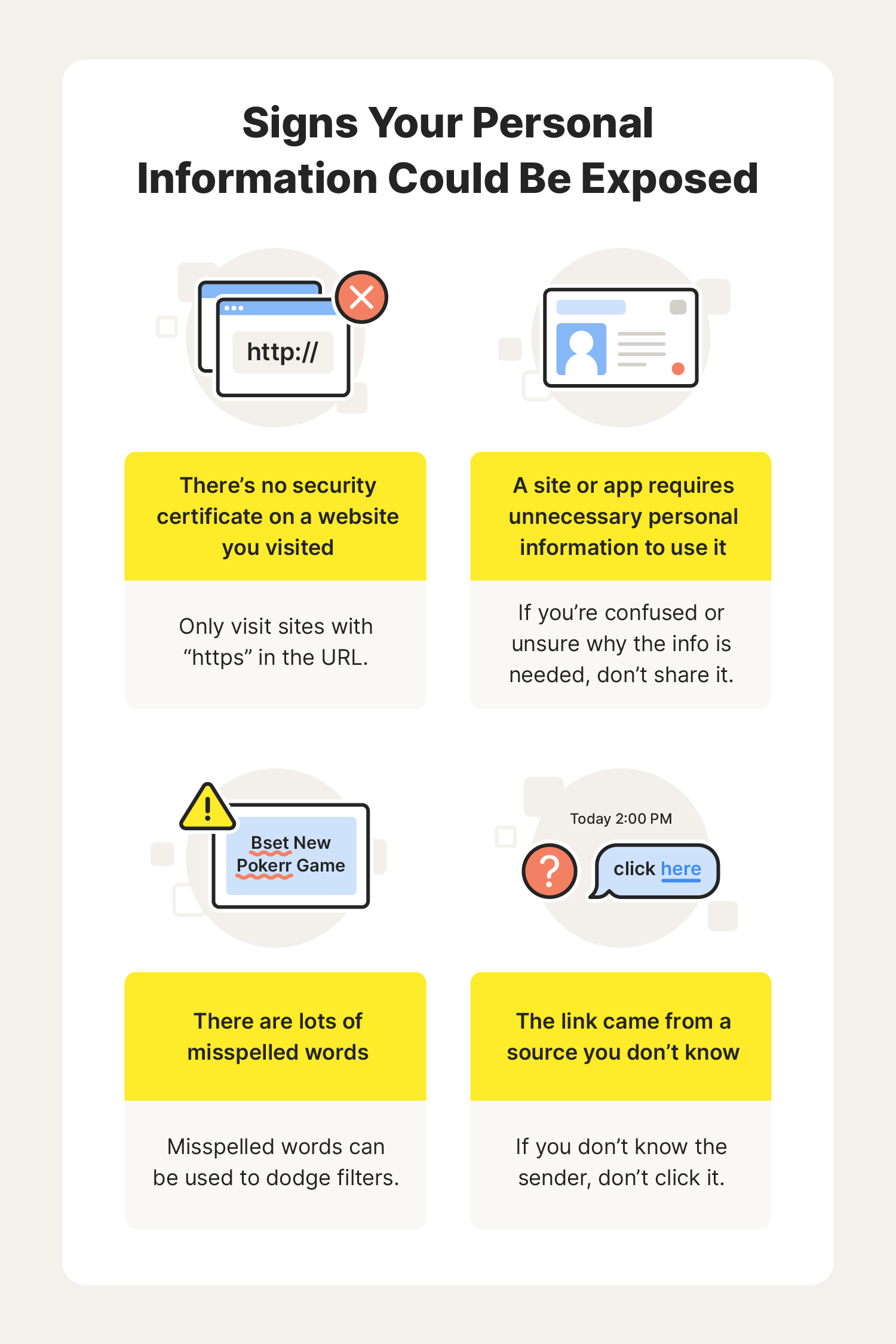
Here are a few easy steps you can take while you’re online to protect your information:
- Opt out of cookies on sites you visit.
- Use do-not-track features available in your browser.
- Try incognito browsing.
Many modern operating systems for computers and other devices give you a lot of control over how and when you are being tracked and if your information is being shared. Both the MacOS and Windows operating systems have built-in settings you can use to protect yourself when using a Mac or a Windows device. Whenever you get a new device, double-check the security settings.
Whenever you download a new app, head over to the app’s settings on your device to limit the information the app collects and shares. And don’t think that just because a new app is a game it won’t collect and share your information, because it likely will.
2. Delete unused apps from your mobile, tablet, and computer
Time commitment: 2 to 20 minutes each
The apps you use on your mobile, tablet, and computer are another source of personal information. If you signed up for an account to use an app or the app is tracking your behaviour, that data could be used or shared with another party by the app.
Deleting unused apps is a good idea, but it’s important to check that your information has been scrubbed from their systems before you take them off your mobile. To do this:
- Head to the app settings on your device and look for information about how they collect and use your data. Turn off any data collection.
- If needed, log in to the in-app account you created to use the app, delete all your information, and close the account.
The next time you download a new app, visit the privacy settings before you do anything. If an app requires too much information, look for something else.
3. Remove personal information from Google
Time commitment: 10 minutes or more
Google is the largest and most popular search engine in the world — it’s so popular that people use it to query 40,000 times per second. Its free services like Gmail, Google Docs and Sheets, and other products are used by millions of people every day. How do they keep these services free? By collecting and leveraging your personal information.
The process to remove information from Google search results is relatively simple. Here are a few options:
- Contact Google via a simple form to remove personal information from Google search results.
- If you are using the Google app, click the three dots next to a piece of information and request its removal.
- Follow this process to remove outdated information and images from websites that appear on Google search results pages.
- This process lets you fill out a request for the removal of certain personally identifiable information or content that could be used for doxxing.
While removing some of this information will help, it won’t remove your information from internet searches completely. In some cases, this may not even be possible, especially if you continue to use social media, your name is connected to a business, or you’re a public person.
4. Erase old email accounts
Time commitment: 10 to 30 minutes each
Old email addresses are potential sources of a lot of personal information. From communications with trusted friends and loved ones to shopping, healthcare, and bank account information, hacked email accounts have the potential to cause major damage.
Every email provider will have instructions for how to delete old accounts, usually in via settings. Before you close an account, make sure you save any photos or important information because once an account is deleted, you can’t get it back.
5. Delete unused shopping accounts
Time commitment: 10 to 30 minutes each
We’ve all signed up for an account at an online store because we needed to place an order and creating an account provided us with a discount or free shipping. The dark side of these accounts is that everything from your address to your payment information is in the hands of a third party — and you don’t know how they’re protecting it.
Consider deleting unused shopping accounts. And the next time you go to place an order on a site, check out as a guest instead of starting a new profile.
6. Remove social media accounts you don’t use
Time commitment: 10 to 60 minutes each
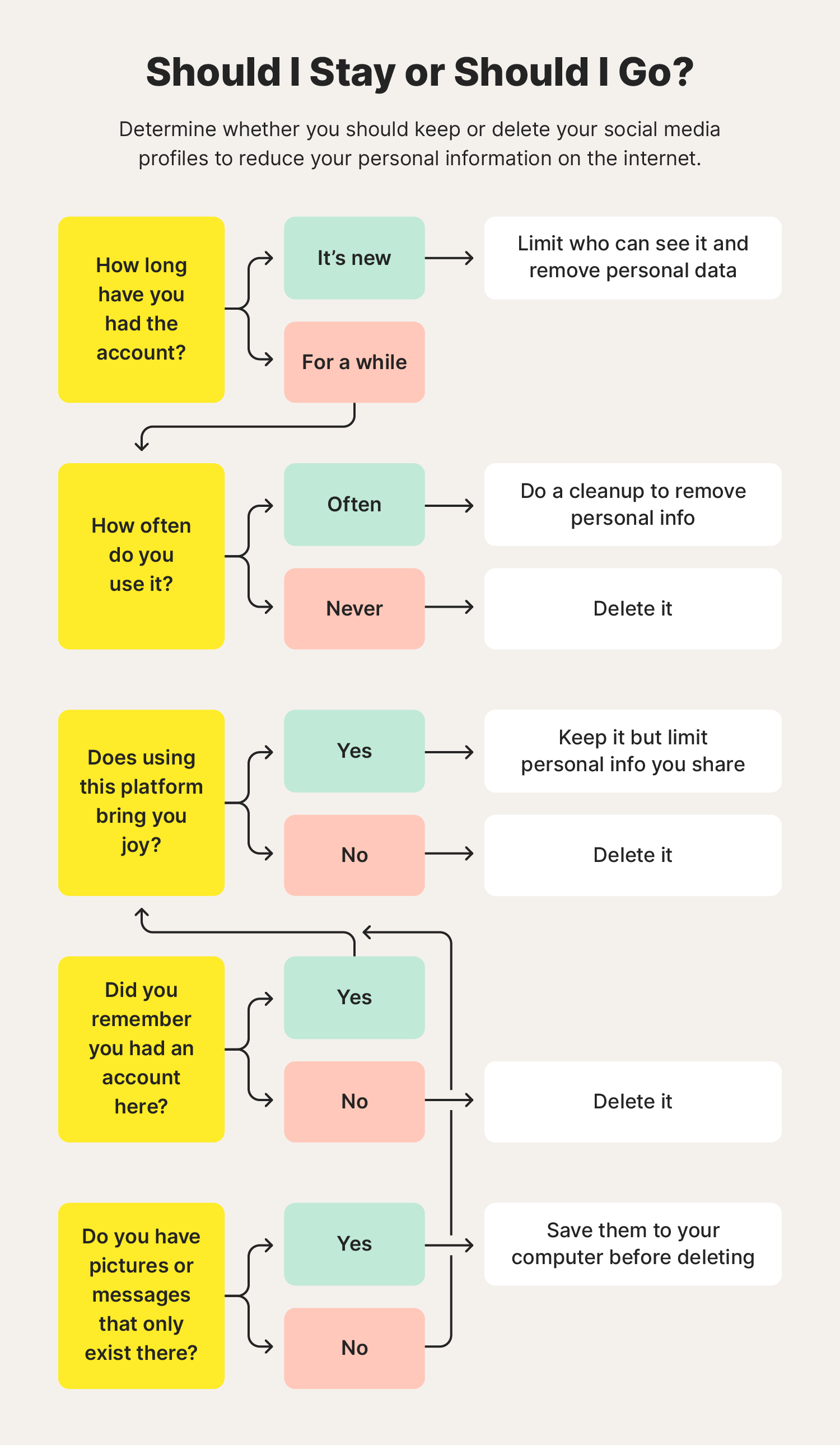
From the old days of Myspace to Facebook, Instagram, and TikTok now reigning supreme, there is no shortage of social media sites to choose from — and share your personal information on.
But even if you haven’t used an account in several years, it could be exposing your personal information to data brokers and people with malicious intent. Close these accounts to remove another source of your data from the internet.
Follow the instructions that each site provides and make sure to read everything carefully — they may try to get you to deactivate your account and not delete it. If you want your information to be safer, go for full deletion.
Regular social media cleanups are a good way of staying on top of your social media privacy. This can include:
- Restricting who can see your profile
- Regularly updating your passwords or using a password manager to keep track of them more securely
- Removing any posts, comments, or photos that others may see as controversial
- Deleting connections to inappropriate accounts
Cleaning up and securing your profiles will limit the exposure of your personal data and can help provide a better impression of who you are to potential employers.
7. Opt out of people search sites
Time commitment: 10 minutes to several hours each
People search sites like whitepages.com are repositories of personal information. If you’ve ever gone to one of these sites, you might’ve been shocked at the information they have about you, including your:
- Current and past addresses
- Phone numbers
- Links to social media profiles
Unfortunately, each of these sites has different opt-out processes that require a decent time commitment to get your information removed. Dig in a little and you’ll be able to find instructions for opting out.
8. Remove your information from data brokers
Time commitment: 5 minutes to several hours each
Data broker sites are similar to people search sites in that they contain a lot of information about you, but they use that information to develop an allegedly anonymous profile of you that they can sell to businesses looking for marketing leads or other kinds of information. Data brokerage is a big business, with the industry expected to grow to $462.4 billion by 2031.
Of course, the opt-out process for data brokers is different from other opt-out processes, but most of them can be completed in just a few minutes. Many of these brokers have pages on their sites called “Privacy” or “Consumer Information” where you can learn about how they use your data and how you can opt out.
9. Clean up or delete old blogs and websites
Time commitment: 10 minutes to several hours
Whether you’re a digital native who has been using the internet for as long as you can remember or you’re a relative newcomer, chances are you’ve got a bigger footprint than you might think. Do a search for your name (and be prepared to go a few pages deep to find some of the more obscure references) and check your email accounts for sign-up confirmations to find these sites.
Your outdated information may still be living on:
- Personal websites you created to share your thoughts or as a portfolio for your skills
- Former employers’ sites with an outdated team page
- Clubs and organizations you’re no longer a part of that share your name and photo
- Forums you no longer post on where you used your real name
If you’re on any of these sites, email the webmaster and ask them to remove you from the site. Provide them with URLs to make it easier for them to find these instances.
Keeping up to date on the latest cybersecurity risks is a good way to get in the habit of thinking twice about what you share. And don’t forget about the rest of your family, too — make sure to set parental control for your children to prevent them from sharing any sensitive data online.
FAQs about how to remove your information from the internet
Have some more questions about how to remove your personal information from the internet? We have answers to some of the most common ones.
What is the best company to remove personal information from the internet?
There isn’t one company that is the absolute best for removing your personal information from the internet. Many of them offer nearly identical services at similar prices. Determine what your needs are and then look for the provider who can handle the most items on your list.
How do I protect my identity online?
Digital security is more of a mindset than a single action. By being mindful of where you go online and how frequently you give out your information, you can look for patterns and then adjust them. Here are a few quick and easy steps you can take to limit your exposure day to day:
- Opt out of tracking on your devices and any sites you visit.
- Set your profiles on social networks to private.
- Be careful about where you shop.
- Know how to spot phishing scams.
What is the best way to learn how to remove personal information from the internet and public data sources for free?
You can have almost all of your information removed from the internet for free, but it can definitely take some time, especially if you’ve been a little lax about your digital privacy up to this point. Making small changes now and requesting removal of your data from the biggest aggregators is a good start.
Editorial note: Our articles provide educational information for you. Our offerings may not cover or protect against every type of crime, fraud, or threat we write about. Our goal is to increase awareness about Cyber Safety. Please review complete Terms during enrollment or setup. Remember that no one can prevent all identity theft or cybercrime, and that LifeLock does not monitor all transactions at all businesses. The Norton and LifeLock brands are part of Gen Digital Inc.


Want more?
Follow us for all the latest news, tips, and updates.